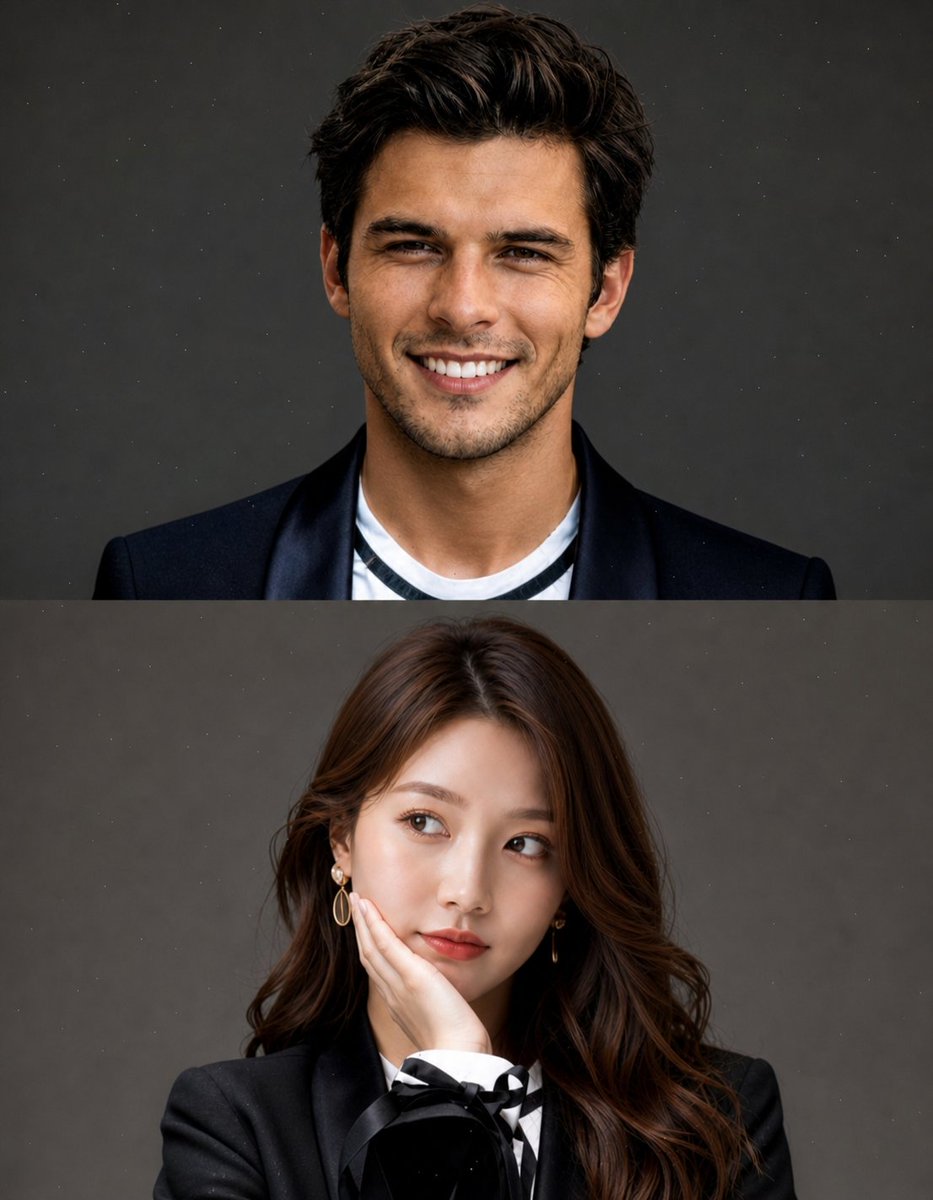
Split Portrait Editorial Photography
A complex studio-style portrait prompt that creates a vertical split composition, ideal for seamless face-swapping and professional editorial photography.
웹, 앱, 대시보드 화면 시안에 적합합니다. 구조를 유지하고 내 서비스 문구와 브랜드 요소로 바꾸면 됩니다.
추천 비율
16:9 또는 4:3
품질 전략
먼저 가볍게 생성하고 좋은 안을 고해상도로 다듬기
생성 흐름
참고 이미지나 기존 레이아웃에 맞춰야 할 때는 이미지-이미지를 사용하고, 그 외에는 텍스트 생성으로 방향을 잡으세요.
전체 Qwen Image 프롬프트
English prompt
Create a high-quality, studio-style split portrait composition with two stacked sections (top and bottom).
Layout:
Vertical split (top half + bottom half)
Clean, minimal aesthetic
No text, no watermark, no overlay
Subtle grain or dust texture on background
Soft, cinematic lighting

TOP SECTION:
Use [REFERENCE IMAGE 1 – FACE ONLY]
Replace only the face, keep original pose and expression (wide smile, joyful, slightly playful)
Short messy hair look
Outfit: {argument name="top outfit" default="black blazer over a casual inner shirt"}
{argument name="background" default="Neutral grey studio background"}
Natural skin tones, realistic blending

BOTTOM SECTION:
Use [REFERENCE IMAGE 2 – FACE ONLY]
Replace only the face, keep original pose (hand on cheek, looking sideways, thoughtful expression)
Long, soft styled hair
Outfit: {argument name="bottom outfit" default="elegant black blazer with subtle details (bow or ribbon)"}
Same neutral grey studio background
Maintain soft feminine lighting
Important:
Face swap must look natural and seamless
Match lighting, skin tone, and color grading across both sections
Keep original body, pose, and composition unchanged
High realism, sharp focus, premium editorial photography style
Style keywords: ultra realistic, studio portrait, soft lighting, editorial fashion, 85mm lens, shallow depth of field, cinematic tone, high detail관련 Qwen Image 프롬프트
VR Headset Exploded View Poster
Generates a high-tech exploded view diagram of a VR headset with detailed component callouts and promotional text.
Illustrated City Food Map
Generates a hand-drawn, watercolor-style tourist map featuring numbered local food specialties, landmarks, and a legend.
E-commerce Live Stream UI Mockup
Generates a realistic social media live stream interface overlaying a portrait, featuring customizable chat messages, gift popups, and a product purchase card.
Knight-Mage Battles Stone Golem
A cinematic fantasy battle scene for generating epic game-style artwork of an armored heroine fighting a giant stone golem in a ruined cathedral.
Censored Elven Adventurers in Medieval Village
Generates a cinematic fantasy scene of two detailed elven adventurers walking through a medieval village with castle backdrop and obscured faces.
Faceless Cyberpunk Infiltrator
Generates a cinematic anime scene of an armed faceless woman infiltrating a high-security futuristic server room.