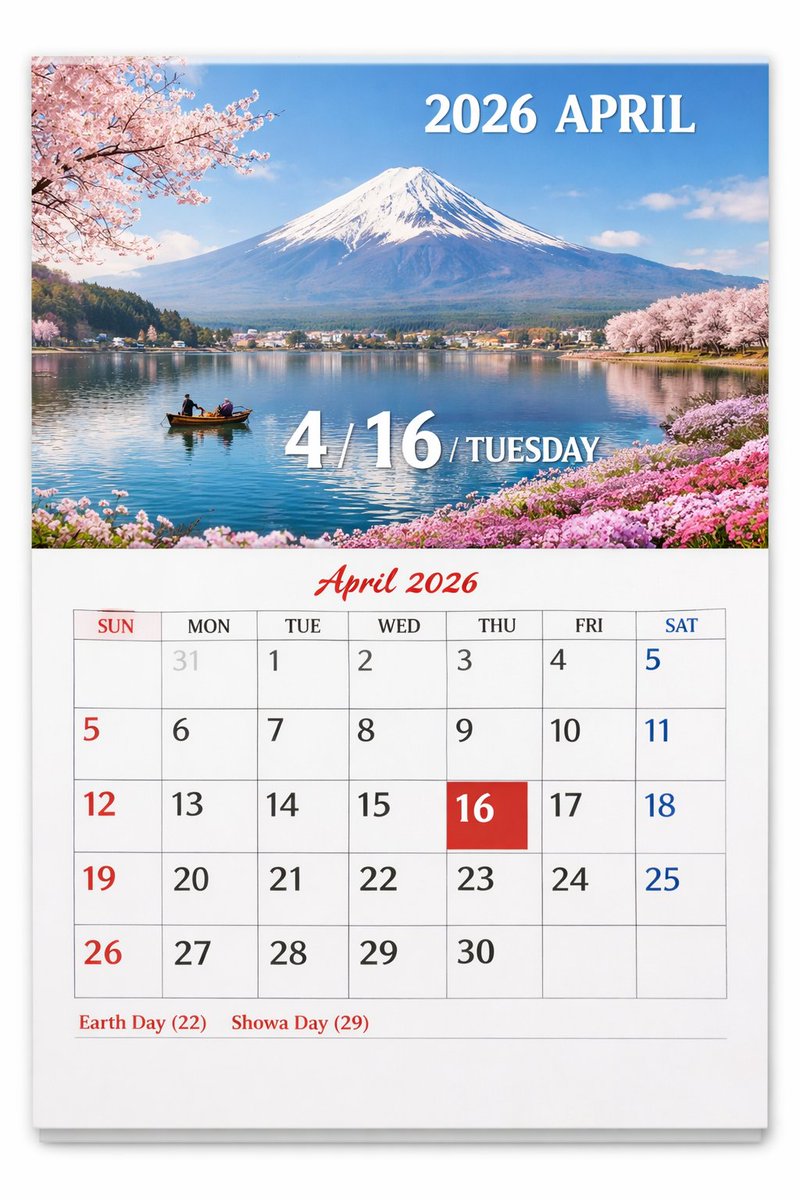
Scenic Wall Calendar Page
Generates a realistic wall calendar page featuring a customizable scenic photograph on top and a detailed monthly grid below.
웹, 앱, 대시보드 화면 시안에 적합합니다. 구조를 유지하고 내 서비스 문구와 브랜드 요소로 바꾸면 됩니다.
추천 비율
16:9 또는 4:3
품질 전략
고해상도 디테일로 마감
생성 흐름
먼저 텍스트로 핵심 이미지를 만들고, 한 번에 중요한 요소 하나만 수정하세요.
전체 Qwen Image 프롬프트
영어
{
  "type": "wall calendar page",
  "presentation": "physical paper calendar hanging on a white wall with a subtle drop shadow",
  "layout": {
    "top_half": {
      "type": "scenic photograph",
      "subject": "{argument name=\"scenic location\" default=\"Mount Fuji with cherry blossoms and a lake\"}",
      "details": "snow-capped mountain, calm blue lake reflection, small wooden boat with two people, pink cherry blossoms framing the top left and right shores, pink flowers on the bottom right shore",
      "text_overlays": [
        {
          "position": "top right",
          "text": "{argument name=\"year and month\" default=\"2026 APRIL\"}",
          "style": "white serif font"
        },
        {
          "position": "bottom center",
          "text": "4 / {argument name=\"highlighted date\" default=\"16\"} / {argument name=\"day of week\" default=\"TUESDAY\"}",
          "style": "large white serif font with drop shadow"
        }
      ]
    },
    "bottom_half": {
      "type": "calendar grid",
      "header": {
        "text": "April 2026",
        "style": "red cursive script font, centered"
      },
      "grid_structure": {
        "columns": 7,
        "rows": 5,
        "column_headers": ["SUN", "MON", "TUE", "WED", "THU", "FRI", "SAT"]
      },
      "grid_content": {
        "highlighted_cell": {
          "date": "{argument name=\"highlighted date\" default=\"16\"}",
          "style": "solid red square background, white text"
        },
        "number_colors": "Sundays in red, Saturdays in blue, weekdays in black, previous month dates in light gray",
        "notable_features": "AI generation artifact where the number 5 appears twice (end of row 1, start of row 2)"
      },
      "footer": {
        "text": "{argument name=\"holidays\" default=\"Earth Day (22) Showa Day (29)\"}",
        "position": "bottom left",
        "style": "red serif font"
      }
    }
  }
}관련 Qwen Image 프롬프트
VR Headset Exploded View Poster
Generates a high-tech exploded view diagram of a VR headset with detailed component callouts and promotional text.
Illustrated City Food Map
Generates a hand-drawn, watercolor-style tourist map featuring numbered local food specialties, landmarks, and a legend.
E-commerce Live Stream UI Mockup
Generates a realistic social media live stream interface overlaying a portrait, featuring customizable chat messages, gift popups, and a product purchase card.
Knight-Mage Battles Stone Golem
A cinematic fantasy battle scene for generating epic game-style artwork of an armored heroine fighting a giant stone golem in a ruined cathedral.
Censored Elven Adventurers in Medieval Village
Generates a cinematic fantasy scene of two detailed elven adventurers walking through a medieval village with castle backdrop and obscured faces.
Faceless Cyberpunk Infiltrator
Generates a cinematic anime scene of an armed faceless woman infiltrating a high-security futuristic server room.