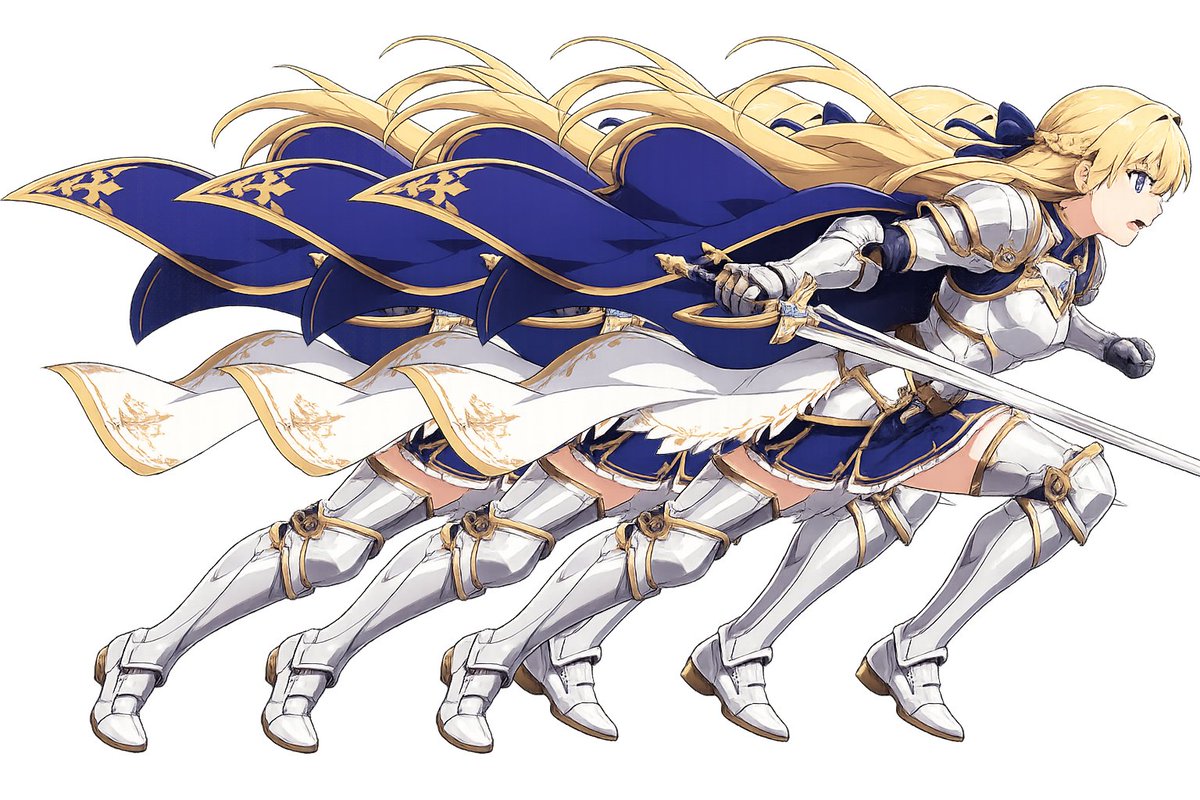
Overlapping Anime Knight Motion Trail
Generates a dynamic anime fantasy knight duplicated four times as a layered motion-trail cutout for character art or sticker-style compositions.
웹, 앱, 대시보드 화면 시안에 적합합니다. 구조를 유지하고 내 서비스 문구와 브랜드 요소로 바꾸면 됩니다.
추천 비율
16:9 또는 4:3
품질 전략
먼저 가볍게 생성하고 좋은 안을 고해상도로 다듬기
생성 흐름
먼저 텍스트로 핵심 이미지를 만들고, 한 번에 중요한 요소 하나만 수정하세요.
전체 Qwen Image 프롬프트
English prompt
Create a wide anime-style action illustration on a plain white or transparent-looking background showing exactly 4 overlapping duplicate copies of the same female fantasy knight, staggered horizontally from left to right like a motion trail. The character is {argument name="character archetype" default="a blonde female holy knight"} sprinting or lunging to the right with her body leaning forward, long {argument name="hair color" default="golden blonde"} hair streaming backward in wind-swept ribbons, and a large deep {argument name="cape color" default="royal blue"} cape with ornate gold trim billowing dramatically behind her. She wears polished white-silver plate armor with gold accents over a navy blue skirt and bodice, white armored boots and gauntlets, and decorative gold filigree details; a white sash or cloak strip with gold embroidery waves across the middle of the composition. In the foremost rightmost copy, she holds a long silver sword angled diagonally across the front, with a gold crossguard and fantasy knight styling. The 4 duplicated figures should be nearly identical, partially occluding each other, creating a layered cutout/sticker effect and emphasizing fast movement. Use crisp clean line art, high-detail anime fantasy game character rendering, bright highlights on metal armor, elegant blue-and-gold color palette, dynamic flowing cloth and hair, minimal shadows, no scenery, no text, no border, centered composition in a 3:2 horizontal canvas. Add a small opaque {argument name="face cover color" default="pale beige"} square over the visible face area of the foremost rightmost character, hiding the face while leaving the rest of the figure intact.관련 Qwen Image 프롬프트
VR Headset Exploded View Poster
Generates a high-tech exploded view diagram of a VR headset with detailed component callouts and promotional text.
Illustrated City Food Map
Generates a hand-drawn, watercolor-style tourist map featuring numbered local food specialties, landmarks, and a legend.
E-commerce Live Stream UI Mockup
Generates a realistic social media live stream interface overlaying a portrait, featuring customizable chat messages, gift popups, and a product purchase card.
Knight-Mage Battles Stone Golem
A cinematic fantasy battle scene for generating epic game-style artwork of an armored heroine fighting a giant stone golem in a ruined cathedral.
Censored Elven Adventurers in Medieval Village
Generates a cinematic fantasy scene of two detailed elven adventurers walking through a medieval village with castle backdrop and obscured faces.
Faceless Cyberpunk Infiltrator
Generates a cinematic anime scene of an armed faceless woman infiltrating a high-security futuristic server room.