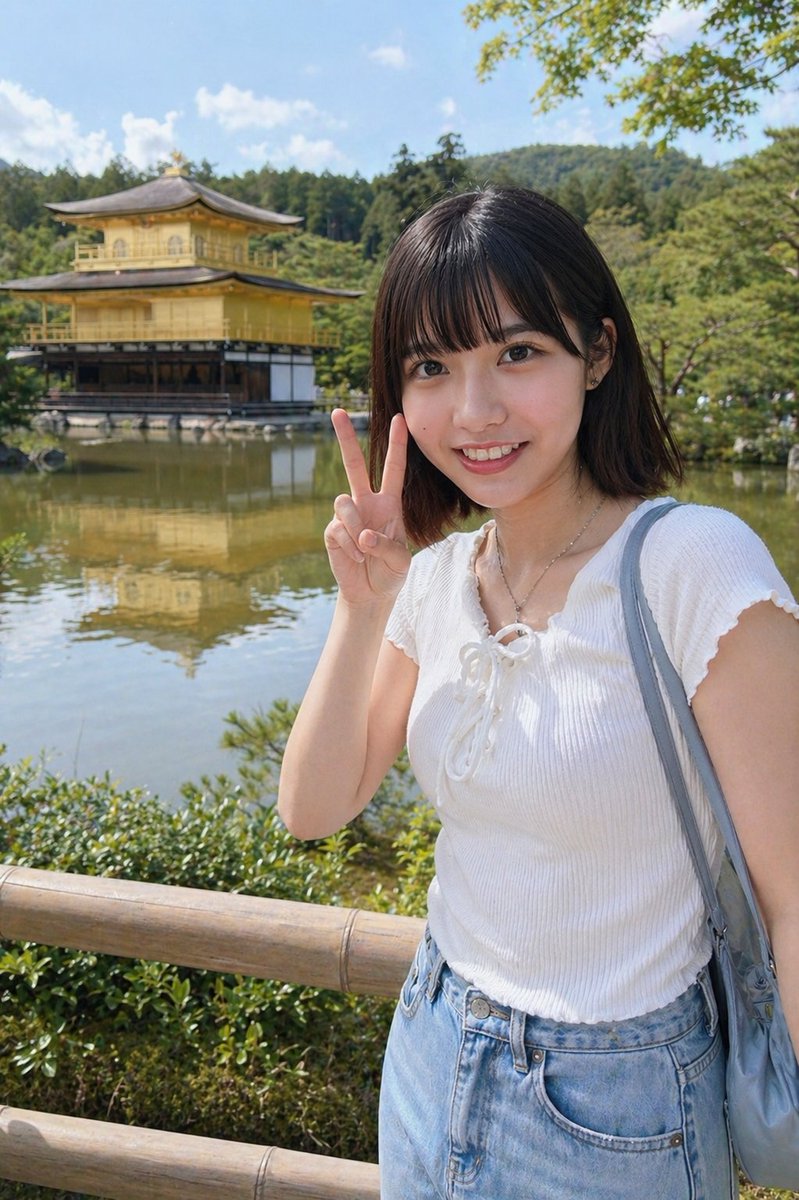
Kyoto Tourist Photo Edit
This prompt converts a reference portrait into a realistic vacation-style snapshot at Kinkaku-ji, useful for travel photo composites and background replacement edits.
This character prompt is a strong starting point when you need a composed Qwen Image result with a clear subject, visual structure, and reusable style direction.
Aspect ratio
4:5 or 3:4
Quality pass
Standard first, then high detail
Workflow
Use image-to-image when matching an existing layout or subject matters.
Full Qwen Image prompt
English prompt
Using the provided reference image, turn the same person into a realistic outdoor travel snapshot in Kyoto. Replace the indoor arcade/claw-machine background with Kinkaku-ji (the Golden Pavilion) beside a reflective pond, with green trees, blue sky, distant wooded hills, and a wooden fence in the foreground. Keep the face obscured with the same rectangular blur/censor block. Change the outfit to a white short-sleeve ribbed knit top with a lace-up neckline, light blue high-waisted denim bottoms, a thin necklace, and a gray-blue shoulder bag. Repose her so she is standing near the fence and holding up 1 peace sign with her right hand beside her face. Bright natural midday sunlight, casual smartphone tourist photo, realistic proportions, soft depth of field.
Related Qwen Image prompts
Anime Martial Arts Battle Illustration
Generates a dynamic, high-impact anime illustration of two female characters fighting in a traditional dojo with elemental energy effects.
Illustrated City Food Map
Generates a hand-drawn, watercolor-style tourist map featuring numbered local food specialties, landmarks, and a legend.
Momotaro Explainer Slide in Hybrid Style
A prompt that combines the simple, warm aesthetic of simple illustration style illustrations with the high-information density characteristic of Japanese government slides.
E-commerce Live Stream UI Mockup
Generates a realistic social media live stream interface overlaying a portrait, featuring customizable chat messages, gift popups, and a product purchase card.
Censored Elven Adventurers in Medieval Village
Generates a cinematic fantasy scene of two detailed elven adventurers walking through a medieval village with castle backdrop and obscured faces.
Faceless Cyberpunk Infiltrator
Generates a cinematic anime scene of an armed faceless woman infiltrating a high-security futuristic server room.