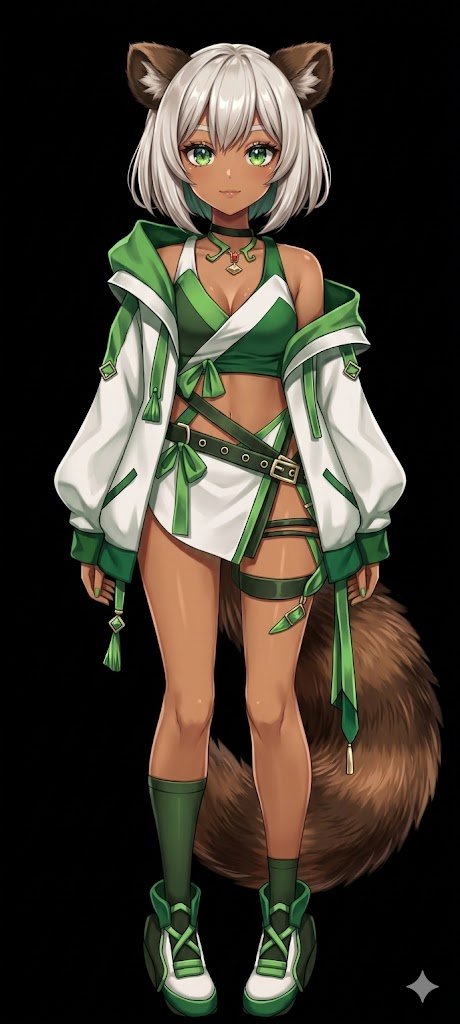
Flat Color to Rendered Anime Shading
Transforms a flat-colored 2D character reference into a fully shaded and rendered anime illustration with a solid background.
This ui mockup prompt is a strong starting point when you need a composed Qwen Image result with a clear subject, visual structure, and reusable style direction.
Aspect ratio
16:9 or 4:3
Quality pass
High detail
Workflow
Use image-to-image when matching an existing layout or subject matters.
Full Qwen Image prompt
English
Using REFERENCE_0, transform the flat-colored character into a {argument name="art style" default="fully rendered, high-quality anime illustration"}. Apply detailed {argument name="lighting effect" default="shading, glossy highlights, and depth"} to the skin, hair, eyes, clothing, and tail to give the 2D design a polished, three-dimensional feel. Add a metallic sheen to the buckles and jewelry. Change the background to {argument name="background color" default="solid black"}. Preserve the character's original design, outfit, and neutral pose exactly as they appear in the reference.Related Qwen Image prompts
VR Headset Exploded View Poster
Generates a high-tech exploded view diagram of a VR headset with detailed component callouts and promotional text.
Illustrated City Food Map
Generates a hand-drawn, watercolor-style tourist map featuring numbered local food specialties, landmarks, and a legend.
E-commerce Live Stream UI Mockup
Generates a realistic social media live stream interface overlaying a portrait, featuring customizable chat messages, gift popups, and a product purchase card.
Knight-Mage Battles Stone Golem
A cinematic fantasy battle scene for generating epic game-style artwork of an armored heroine fighting a giant stone golem in a ruined cathedral.
Censored Elven Adventurers in Medieval Village
Generates a cinematic fantasy scene of two detailed elven adventurers walking through a medieval village with castle backdrop and obscured faces.
Faceless Cyberpunk Infiltrator
Generates a cinematic anime scene of an armed faceless woman infiltrating a high-security futuristic server room.