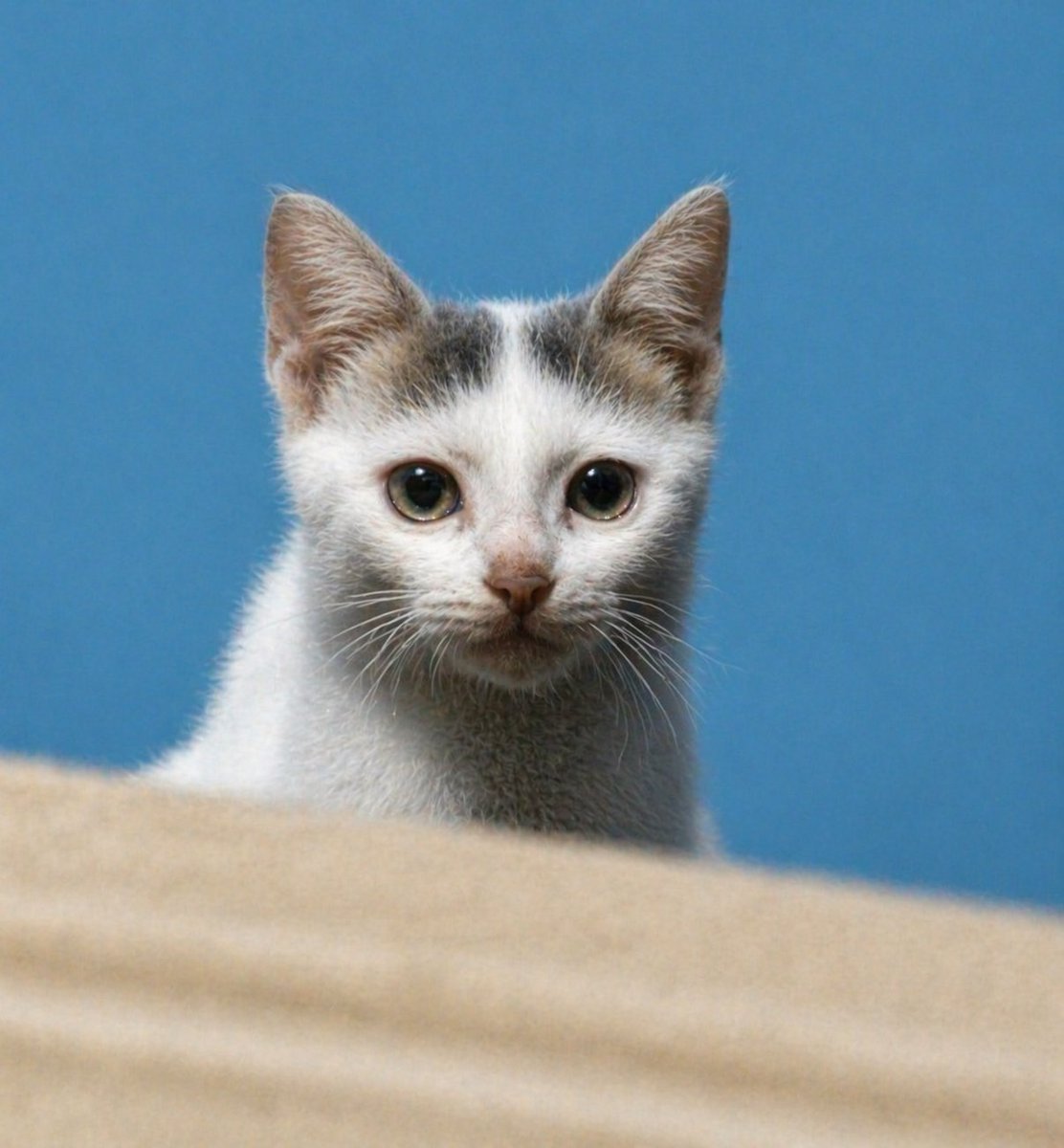
Enhance Blurry Kitten Photo
This prompt turns a low-quality cat reference photo into a sharp, realistic pet portrait while keeping the original composition and subject identity.
This character prompt is a strong starting point when you need a composed Qwen Image result with a clear subject, visual structure, and reusable style direction.
Aspect ratio
4:5 or 3:4
Quality pass
Standard first, then high detail
Workflow
Use image-to-image when matching an existing layout or subject matters.
Full Qwen Image prompt
English prompt
Using REFERENCE_0, restore the same kitten into a clean, realistic high-resolution portrait while preserving the front-facing composition, white fur with gray-brown markings on the head, blue background, and the beige foreground ledge at the bottom. Sharpen the face and eyes, add natural fur detail and whiskers, correct the proportions into a believable young kitten, improve lighting and contrast, and remove the heavy blur/noise so it looks like a crisp DSLR-style pet photo with shallow depth of field.
Related Qwen Image prompts
Anime Martial Arts Battle Illustration
Generates a dynamic, high-impact anime illustration of two female characters fighting in a traditional dojo with elemental energy effects.
Illustrated City Food Map
Generates a hand-drawn, watercolor-style tourist map featuring numbered local food specialties, landmarks, and a legend.
Momotaro Explainer Slide in Hybrid Style
A prompt that combines the simple, warm aesthetic of simple illustration style illustrations with the high-information density characteristic of Japanese government slides.
E-commerce Live Stream UI Mockup
Generates a realistic social media live stream interface overlaying a portrait, featuring customizable chat messages, gift popups, and a product purchase card.
Censored Elven Adventurers in Medieval Village
Generates a cinematic fantasy scene of two detailed elven adventurers walking through a medieval village with castle backdrop and obscured faces.
Faceless Cyberpunk Infiltrator
Generates a cinematic anime scene of an armed faceless woman infiltrating a high-security futuristic server room.