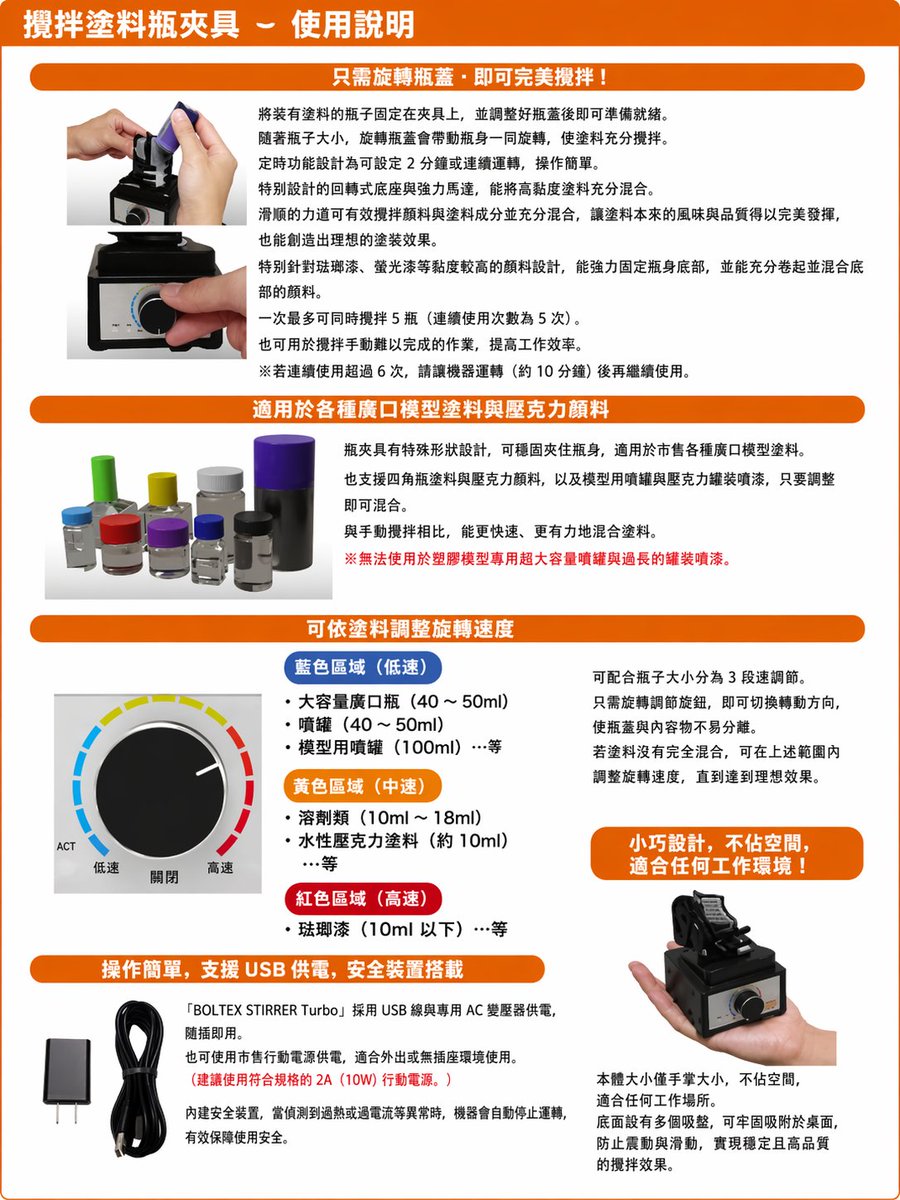
Translate Japanese manual into Chinese leaflet
Generates a polished Traditional Chinese localized product instruction sheet from a photographed Japanese manual while preserving the original layout and images.
상품 사진, 패키지, 브랜드 광고 초안 제작에 적합합니다. 주체, 재질, 배경, 상업 보정 방향이 잡혀 있어 변수만 바꿔도 빠르게 시도할 수 있습니다.
추천 비율
1:1 또는 4:5
품질 전략
먼저 가볍게 생성하고 좋은 안을 고해상도로 다듬기
생성 흐름
참고 이미지나 기존 레이아웃에 맞춰야 할 때는 이미지-이미지를 사용하고, 그 외에는 텍스트 생성으로 방향을 잡으세요.
전체 Qwen Image 프롬프트
English prompt
Using the provided reference image, recreate the same product instruction leaflet as a clean, professionally typeset Traditional Chinese version. Keep the overall brochure layout, orange header bars, section structure, product photos, knob diagram, USB accessories, and handheld product shot in the same approximate positions, but replace all Japanese text with natural Traditional Chinese copy and make it look like a polished localized manual. Preserve the 4 main content sections plus the top title banner. Use these Chinese headings: 1) top title: 「攪拌塗料瓶夾具-使用說明」, 2) section header: 「只需旋轉瓶蓋,即可完美攪拌!」, 3) section header: 「適用於各種廣口模型塗料與壓克力顏料」, 4) section header: 「可依塗料調整旋轉速度」, 5) section header: 「操作簡單,支援 USB 供電,安全裝置搭載」. In the speed section, keep the knob illustration and relabel the 3 color-coded ranges in Traditional Chinese with exactly 3 categories: 「藍色區域(低速)」, 「黃色區域(中速)」, 「紅色區域(高速)」, and keep the knob labels as exactly 3 labels: 「低速」, 「關閉」, 「高速」. Add 1 orange callout box on the right side of the speed section reading: 「小巧設計,不佔空間,適合任何工作環境!」. In the bottom-left text block, include the product name in English as 「BOLTEX STIRRER Turbo」 within the Chinese paragraph. Make the page cleaner, brighter, and easier to read than the reference, with crisp print graphics, corrected perspective, and high-resolution catalog/manual styling.
관련 Qwen Image 프롬프트
VR Headset Exploded View Poster
Generates a high-tech exploded view diagram of a VR headset with detailed component callouts and promotional text.
E-commerce Live Stream UI Mockup
Generates a realistic social media live stream interface overlaying a portrait, featuring customizable chat messages, gift popups, and a product purchase card.
Pancake Angel Cafe Cover
Generates a dreamy watercolor anime cover of a winged cafe angel serving honey pancakes in a sunlit morning cafe.
Summer Grape Girl 3x3 Grid Portrait
A comprehensive prompt for creating a 3x3 photo grid of a summer-themed 'Grape Girl' with specific instructions for consistency and style.
Mystical Japanese AI Face Reading Report
Generates an ornate Japanese fortune-telling appraisal sheet with a celestial portrait, moonlit gold layout, and multiple readable report sections.
Miniature City Tiny Worlds
A macro photography prompt creating a realistic miniature city built within human hair, featuring high detail and natural skin textures.