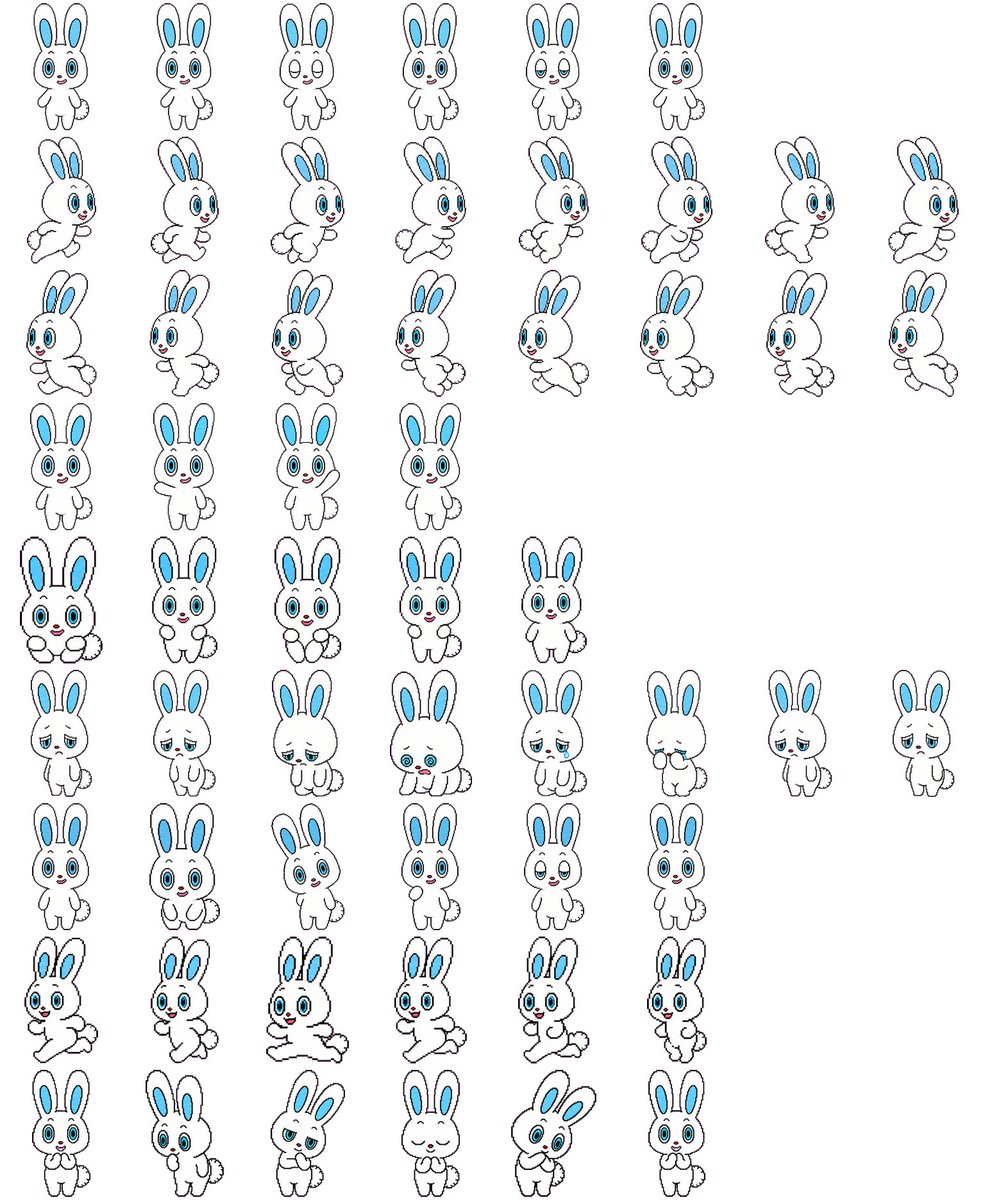
Rabbit Character Sprite Sheet
Transforms a rabbit character reference sheet into a multi-pose 2D game sprite sheet while preserving the original design.
아이콘, 캐릭터 설정, 마스코트 제작에 적합합니다. 연령감, 의상, 실루엣, 색, 표정을 고정하면 일관성이 높아집니다.
추천 비율
1:1 또는 4:5
품질 전략
먼저 가볍게 생성하고 좋은 안을 고해상도로 다듬기
생성 흐름
참고 이미지나 기존 레이아웃에 맞춰야 할 때는 이미지-이미지를 사용하고, 그 외에는 텍스트 생성으로 방향을 잡으세요.
전체 Qwen Image 프롬프트
English prompt
Using REFERENCE_0 as the character-design base, convert the character sheet into a clean 2D game sprite sheet on a {argument name="background color" default="plain white"} background. Preserve the rabbit character’s proportions, black outline style, blue inner ears, blue eyes, small red nose, and fluffy tail, but remove all Japanese labels and reference-sheet headings. Generate {argument name="sprite count" default="57"} separate full-body sprites arranged in a loose grid with transparent-looking spacing between poses. Include these visible rows: 6 small front-facing idle/expression sprites; 8 right-facing running sprites; 8 more right-facing running/stride sprites; 4 front-facing neutral idle sprites; 5 front-facing cute/holding-paws sprites; 8 sleepy, sad, crouching, and low-energy sprites; 6 front-facing cheerful/neutral expression sprites; 6 dynamic running or hopping sprites; and 6 bottom-row cute reaction sprites including shy, surprised, bashful, eyes-closed smiling, tilted-head, and hands-near-mouth poses. Keep the line art simple and consistent, like a hand-drawn cartoon sprite sheet for a {argument name="game type" default="2D platformer or casual mobile game"}, with each sprite isolated and no shadows, props, text, borders, or background scenery.관련 Qwen Image 프롬프트
Anime Martial Arts Battle Illustration
Generates a dynamic, high-impact anime illustration of two female characters fighting in a traditional dojo with elemental energy effects.
Illustrated City Food Map
Generates a hand-drawn, watercolor-style tourist map featuring numbered local food specialties, landmarks, and a legend.
Momotaro Explainer Slide in Hybrid Style
A prompt that combines the simple, warm aesthetic of simple illustration style illustrations with the high-information density characteristic of Japanese government slides.
E-commerce Live Stream UI Mockup
Generates a realistic social media live stream interface overlaying a portrait, featuring customizable chat messages, gift popups, and a product purchase card.
Censored Elven Adventurers in Medieval Village
Generates a cinematic fantasy scene of two detailed elven adventurers walking through a medieval village with castle backdrop and obscured faces.
Faceless Cyberpunk Infiltrator
Generates a cinematic anime scene of an armed faceless woman infiltrating a high-security futuristic server room.