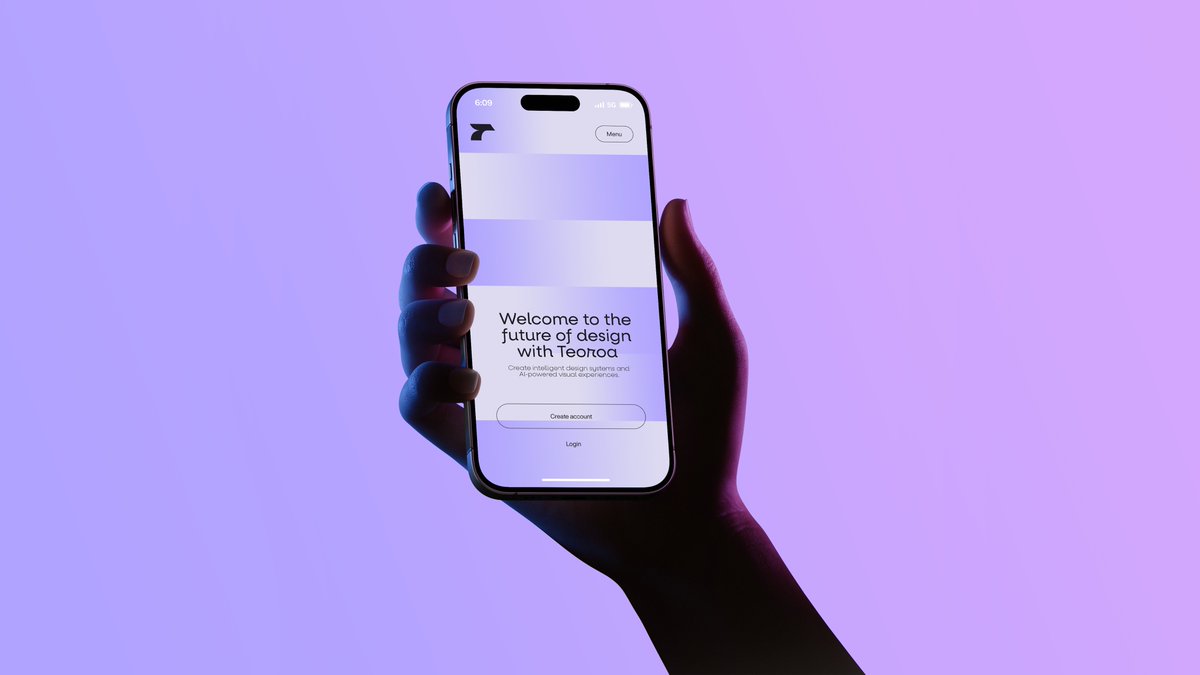
Neon Hand Holding Smartphone Mockup
A cinematic tech-ad image of a hand holding a smartphone showing a minimalist landing page, ideal for startup branding, app mockups, and product launch visuals.
상품 사진, 패키지, 브랜드 광고 초안 제작에 적합합니다. 주체, 재질, 배경, 상업 보정 방향이 잡혀 있어 변수만 바꿔도 빠르게 시도할 수 있습니다.
추천 비율
4:5 또는 3:4
품질 전략
먼저 가볍게 생성하고 좋은 안을 고해상도로 다듬기
생성 흐름
먼저 텍스트로 핵심 이미지를 만들고, 한 번에 중요한 요소 하나만 수정하세요.
전체 Qwen Image 프롬프트
English prompt
A minimalist studio product photograph of a single human hand holding a modern smartphone upright in portrait orientation against a smooth lavender-to-pink gradient background. The composition is centered slightly left, with the forearm entering from the lower right corner and the hand wrapping naturally around the phone, fingers visible along the left edge and thumb on the right side. Use dramatic neon gel lighting with cool blue light on the left side of the hand and deep magenta-purple shadows on the right, creating a moody futuristic tech-ad aesthetic. The phone should resemble a premium edge-to-edge device with a black bezel, rounded corners, and a pill-shaped front camera cutout at the top. On the screen, show a clean monochrome landing page for a design-tech product: a small abstract black logo in the upper left, a rounded small button labeled "Menu" in the upper right, 2 wide pale rectangular placeholder content blocks stacked near the top, and centered onboarding text in the lower half. The main headline reads {argument name="headline text" default="Welcome to the future of design with Terot"}. Below it, smaller gray body text reads {argument name="body text" default="Create intelligent design systems and AI-powered visual experiences."}. Beneath that, include exactly 2 call-to-action elements: a rounded outlined button labeled {argument name="primary button text" default="Create account"} and a simple text link underneath labeled {argument name="secondary button text" default="Login"}. The overall style is sleek, high-end, editorial, and cinematic, with soft shadows, realistic skin texture, subtle screen glow, and generous negative space.관련 Qwen Image 프롬프트
VR Headset Exploded View Poster
Generates a high-tech exploded view diagram of a VR headset with detailed component callouts and promotional text.
E-commerce Live Stream UI Mockup
Generates a realistic social media live stream interface overlaying a portrait, featuring customizable chat messages, gift popups, and a product purchase card.
Pancake Angel Cafe Cover
Generates a dreamy watercolor anime cover of a winged cafe angel serving honey pancakes in a sunlit morning cafe.
Summer Grape Girl 3x3 Grid Portrait
A comprehensive prompt for creating a 3x3 photo grid of a summer-themed 'Grape Girl' with specific instructions for consistency and style.
Mystical Japanese AI Face Reading Report
Generates an ornate Japanese fortune-telling appraisal sheet with a celestial portrait, moonlit gold layout, and multiple readable report sections.
Miniature City Tiny Worlds
A macro photography prompt creating a realistic miniature city built within human hair, featuring high detail and natural skin textures.