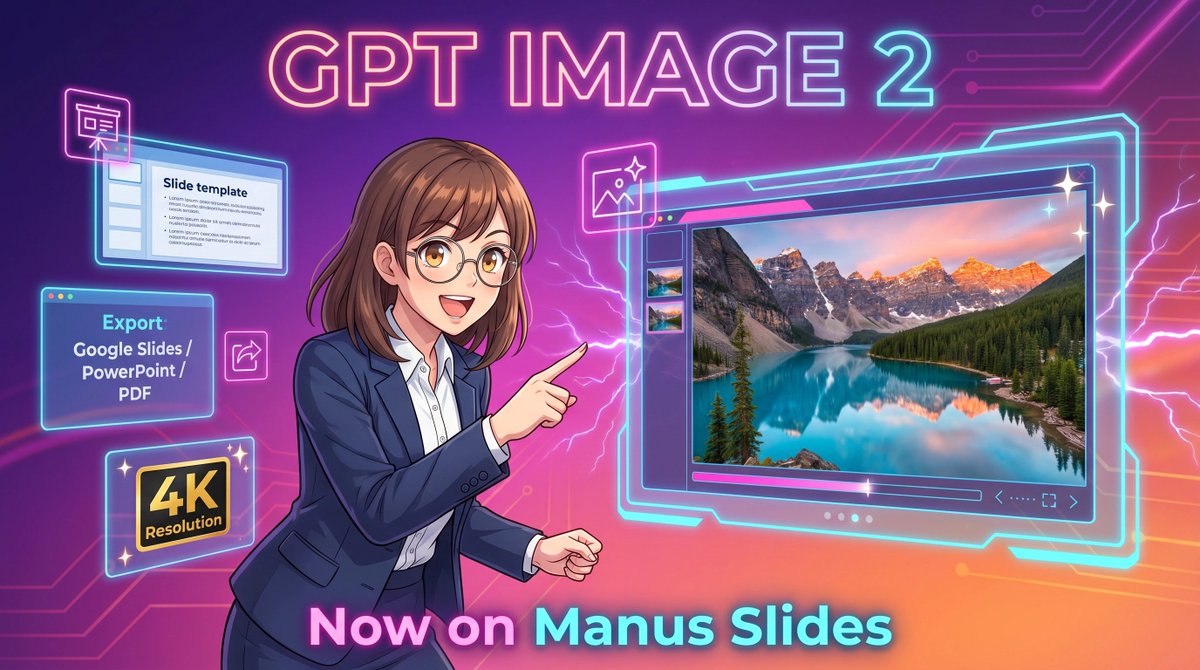
Neon GPT Image 2 Promo Poster
This prompt generates a futuristic anime-style promotional banner for AI image generation in presentation software, ideal for product announcements and social media marketing.
상품 사진, 패키지, 브랜드 광고 초안 제작에 적합합니다. 주체, 재질, 배경, 상업 보정 방향이 잡혀 있어 변수만 바꿔도 빠르게 시도할 수 있습니다.
추천 비율
4:5 또는 3:4
품질 전략
고해상도 디테일로 마감
생성 흐름
먼저 텍스트로 핵심 이미지를 만들고, 한 번에 중요한 요소 하나만 수정하세요.
전체 Qwen Image 프롬프트
English prompt
A vibrant futuristic promotional illustration in a wide 16:9 composition, styled like polished anime-tech advertising art. The background is a glowing purple-to-pink-to-orange gradient with neon circuit traces running across the top right and left edges, plus electric lightning effects behind the character and around the interface elements. At the top center, place large luminous headline text reading {argument name="headline text" default="GPT IMAGE 2"} in a bold rounded sans-serif font with a pink, cyan, and violet neon glow. In the center-left foreground, show a half-body anime-style businesswoman with {argument name="hair color" default="medium brown"} shoulder-length hair with soft bangs and slightly curled ends, wearing thin glasses, a navy business suit, and a white button-up shirt. Her face is obscured by a soft rectangular blur block, but her pose is energetic and confident: she faces right and points with her right index finger toward a large floating software window. On the right half of the image, show a large glowing futuristic image-generation interface outlined in cyan neon, with a main preview panel displaying a highly detailed 4K photoreal mountain lake landscape at sunset: turquoise water, evergreen forest, dramatic rocky peaks with snow, and warm pink-orange sky reflections. Include 3 small vertical thumbnail previews along the left side of this interface, a slim control bar below the main image, and tiny navigation icons in the lower right of the panel. Around the woman on the left side, add 4 floating neon-outlined feature cards: a top-left slide editor window with the visible title “Slide template” and simple bullet lines, a mid-left export box with the visible text “Export” and “Google Slides / PowerPoint / PDF”, a bottom-left black-and-gold badge reading “4K Resolution”, and a small square image icon near the woman’s pointing hand. Add 3 sparkle stars around the large interface for a glossy premium look. At the bottom center, place large glowing gradient text reading {argument name="bottom text" default="Now on Manus Slides"}. Make the entire scene sleek, high-contrast, glossy, and commercial, with crisp line art, soft cel shading, neon rim lighting, and a clean tech-launch poster aesthetic.관련 Qwen Image 프롬프트
VR Headset Exploded View Poster
Generates a high-tech exploded view diagram of a VR headset with detailed component callouts and promotional text.
E-commerce Live Stream UI Mockup
Generates a realistic social media live stream interface overlaying a portrait, featuring customizable chat messages, gift popups, and a product purchase card.
Pancake Angel Cafe Cover
Generates a dreamy watercolor anime cover of a winged cafe angel serving honey pancakes in a sunlit morning cafe.
Summer Grape Girl 3x3 Grid Portrait
A comprehensive prompt for creating a 3x3 photo grid of a summer-themed 'Grape Girl' with specific instructions for consistency and style.
Mystical Japanese AI Face Reading Report
Generates an ornate Japanese fortune-telling appraisal sheet with a celestial portrait, moonlit gold layout, and multiple readable report sections.
Miniature City Tiny Worlds
A macro photography prompt creating a realistic miniature city built within human hair, featuring high detail and natural skin textures.