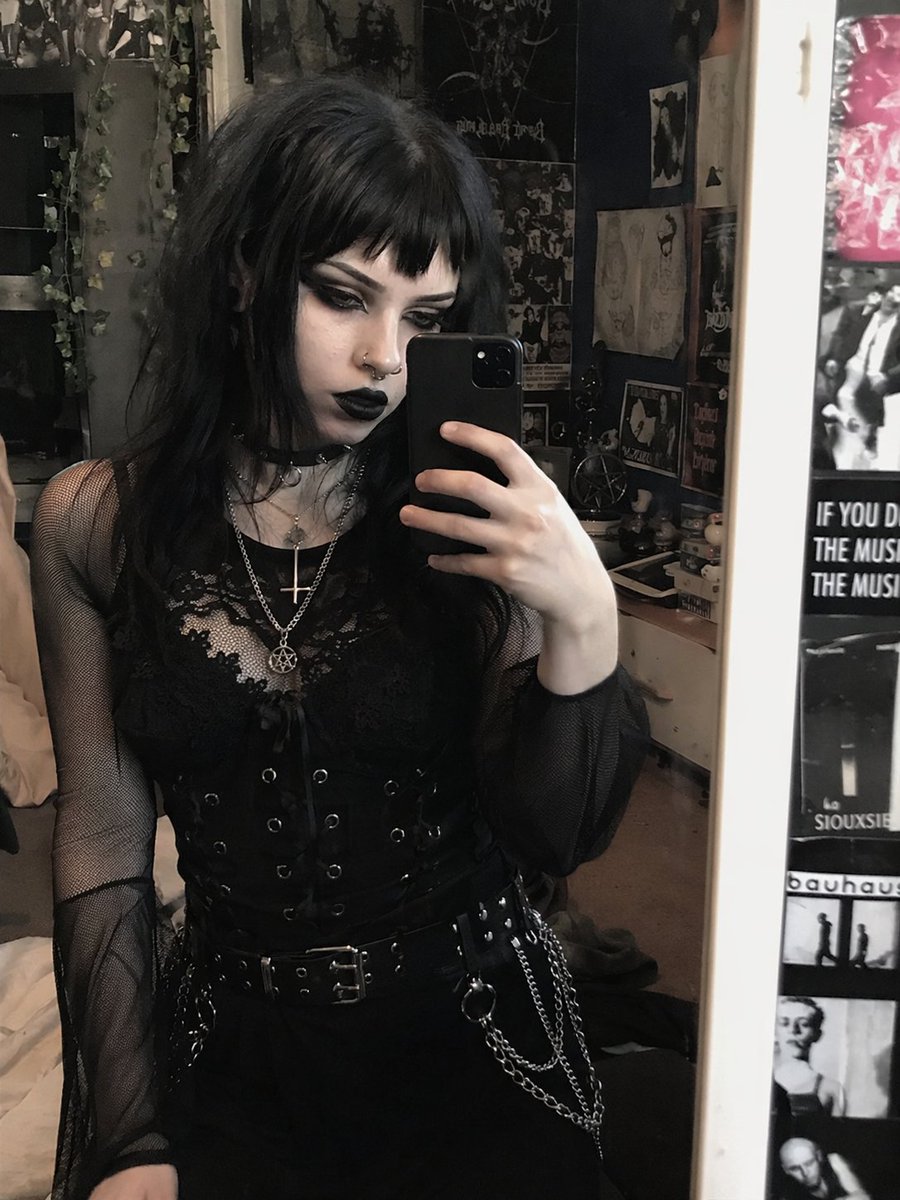
Goth Style Transformation
Transforms a reference portrait into a heavy goth aesthetic by altering hair, makeup, and jewelry while preserving the original pose and outfit.
상품 사진, 패키지, 브랜드 광고 초안 제작에 적합합니다. 주체, 재질, 배경, 상업 보정 방향이 잡혀 있어 변수만 바꿔도 빠르게 시도할 수 있습니다.
추천 비율
4:5 또는 3:4
품질 전략
먼저 가볍게 생성하고 좋은 안을 고해상도로 다듬기
생성 흐름
참고 이미지나 기존 레이아웃에 맞춰야 할 때는 이미지-이미지를 사용하고, 그 외에는 텍스트 생성으로 방향을 잡으세요.
전체 Qwen Image 프롬프트
영어
Using REFERENCE_0, transform the subject's appearance to a {argument name="style" default="trad goth"} aesthetic while preserving the exact pose, clothing structure, and background. Change her hair to {argument name="hair color" default="black"} with {argument name="hair style" default="choppy bangs"}. Apply heavy dark makeup, specifically {argument name="lip color" default="black"} lipstick and intense dark eyeshadow, and make her skin tone slightly paler. Add 2 facial piercings: a septum ring and a nostril stud. Finally, modify her layered necklaces to feature {argument name="necklace pendants" default="an inverted cross and a pentagram"}.관련 Qwen Image 프롬프트
VR Headset Exploded View Poster
Generates a high-tech exploded view diagram of a VR headset with detailed component callouts and promotional text.
E-commerce Live Stream UI Mockup
Generates a realistic social media live stream interface overlaying a portrait, featuring customizable chat messages, gift popups, and a product purchase card.
Pancake Angel Cafe Cover
Generates a dreamy watercolor anime cover of a winged cafe angel serving honey pancakes in a sunlit morning cafe.
Summer Grape Girl 3x3 Grid Portrait
A comprehensive prompt for creating a 3x3 photo grid of a summer-themed 'Grape Girl' with specific instructions for consistency and style.
Mystical Japanese AI Face Reading Report
Generates an ornate Japanese fortune-telling appraisal sheet with a celestial portrait, moonlit gold layout, and multiple readable report sections.
Miniature City Tiny Worlds
A macro photography prompt creating a realistic miniature city built within human hair, featuring high detail and natural skin textures.