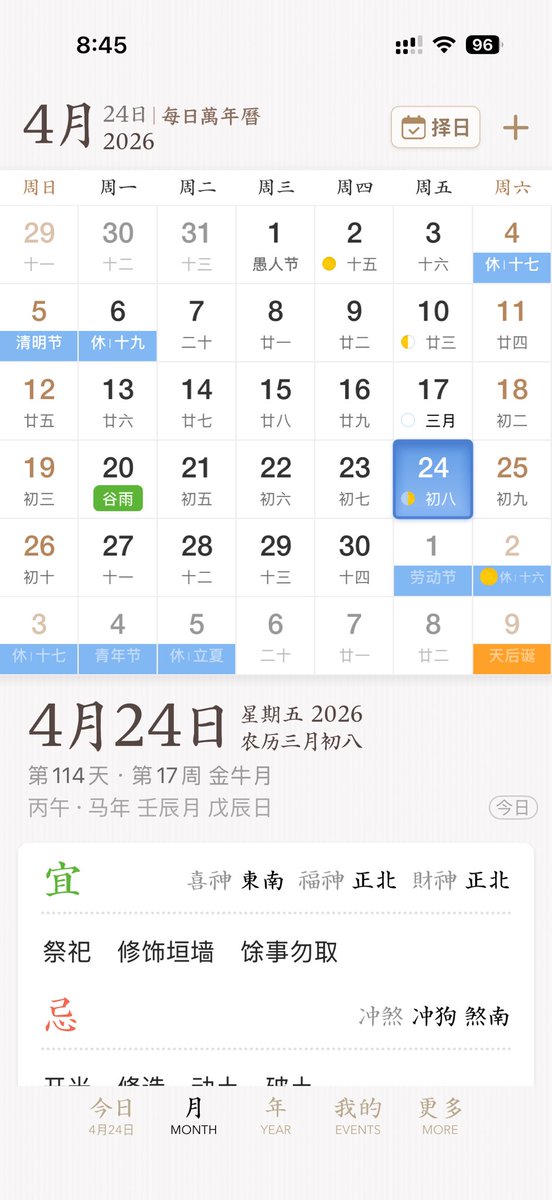
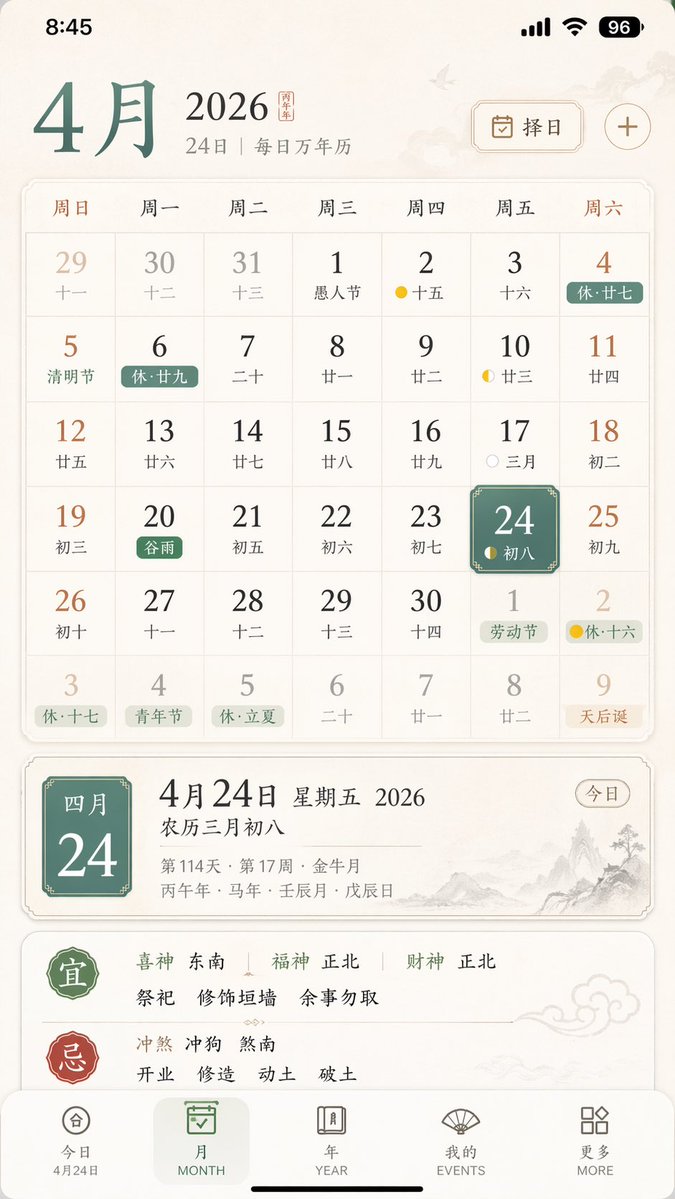
Elegant Chinese Calendar App UI
This prompt generates a polished mobile UI concept for a Chinese perpetual calendar and almanac app, suitable for app design showcases or product mockups.
상품 사진, 패키지, 브랜드 광고 초안 제작에 적합합니다. 주체, 재질, 배경, 상업 보정 방향이 잡혀 있어 변수만 바꿔도 빠르게 시도할 수 있습니다.
추천 비율
1:1 또는 4:5
품질 전략
고해상도 디테일로 마감
생성 흐름
먼저 텍스트로 핵심 이미지를 만들고, 한 번에 중요한 요소 하나만 수정하세요.
전체 Qwen Image 프롬프트
English prompt
A clean, elegant iPhone app UI mockup for a Chinese perpetual calendar and almanac app, shown as a full-screen mobile screenshot on a soft warm white background with subtle paper-like texture and refined East Asian editorial aesthetics. The interface uses a minimalist serif-and-sans mix, muted brown, gray, black, pale blue, green, and gold accents, with spacious layout and delicate dividers. Show the iOS status bar at the top with the time 8:45, cellular signal, Wi‑Fi icon, and a battery indicator reading 96. Below it, a header for {argument name="month" default="4月"} with secondary text “24日 | 每日万年历” and, on the right, a rounded rectangular date-picker button labeled “择日” with a calendar icon plus a separate plus symbol. The main section is a monthly calendar grid for {argument name="year" default="2026"}, with 7 weekday columns labeled Sunday through Saturday in Chinese: 周日, 周一, 周二, 周三, 周四, 周五, 周六. Render a 6-row month view with exactly 42 date cells including adjacent-month dates. The visible dates should be: first row 29, 30, 31, 1, 2, 3, 4; second row 5, 6, 7, 8, 9, 10, 11; third row 12, 13, 14, 15, 16, 17, 18; fourth row 19, 20, 21, 22, 23, 24, 25; fifth row 26, 27, 28, 29, 30, 1, 2; sixth row 3, 4, 5, 6, 7, 8, 9. Each day cell includes a large Gregorian date and a smaller Chinese lunar date or note underneath. Include colored holiday and solar-term tags across specific cells, with exactly 10 highlighted labels visible: “休十七” on the 4th, “清明节” on the 5th, “休十九” on the 6th, “谷雨” on the 20th in green, “劳动节” on the next-month 1st, “休十六” on the next-month 2nd, “休十七” on the last-row 3rd, “青年节” on the last-row 4th, “休立夏” on the last-row 5th, and “天后诞” on the last-row 9th in orange. Add small lunar phase markers on a few days, including yellow crescent or dot icons around the 2nd, 10th, 17th, 24th, and next-month 2nd. Make the {argument name="selected date" default="24"} cell in the Friday column stand out with a rounded blue gradient tile and soft shadow, with smaller text “初八” inside. Beneath the calendar, show a detailed daily information panel separated by whitespace. The left side features a very large date title “4月24日”; the right side stacks “星期五 2026” and “农历三月初八”. Below that, include smaller gray metadata lines such as “第114天 · 第17周 金尊月” and a traditional sexagenary/date string like “丙午 · 马年 壬辰月 戊辰日”. At the far right of this metadata area, place a rounded outline pill button labeled “今日”. Underneath, present a large white rounded card with almanac guidance. The card contains two major sections with exactly 2 headings: a green “宜” section and a red “忌” section, separated by fine dotted dividers. In the “宜” section, include the directional fortune line “喜神 东南 福神 正北 财神 正北” and three activity items: “祭祀”, “修饰垣墙”, “余事勿取”. In the “忌” section, include the conflict line “冲煞 冲狗 煞南”. At the bottom, show a 5-item iOS-style tab bar with labels exactly “今日”, “MONTH”, “YEAR”, “EVENTS”, “MORE”; the first tab is active and includes the small sublabel “4月24日”. Overall style: premium app design concept, calm scholarly Chinese calendar aesthetic, high-fidelity mobile product shot, realistic yet idealized interface, perfectly aligned typography, subtle shadows, soft contrast, and polished startup-quality UI.관련 Qwen Image 프롬프트
VR Headset Exploded View Poster
Generates a high-tech exploded view diagram of a VR headset with detailed component callouts and promotional text.
E-commerce Live Stream UI Mockup
Generates a realistic social media live stream interface overlaying a portrait, featuring customizable chat messages, gift popups, and a product purchase card.
Pancake Angel Cafe Cover
Generates a dreamy watercolor anime cover of a winged cafe angel serving honey pancakes in a sunlit morning cafe.
Summer Grape Girl 3x3 Grid Portrait
A comprehensive prompt for creating a 3x3 photo grid of a summer-themed 'Grape Girl' with specific instructions for consistency and style.
Mystical Japanese AI Face Reading Report
Generates an ornate Japanese fortune-telling appraisal sheet with a celestial portrait, moonlit gold layout, and multiple readable report sections.
Miniature City Tiny Worlds
A macro photography prompt creating a realistic miniature city built within human hair, featuring high detail and natural skin textures.