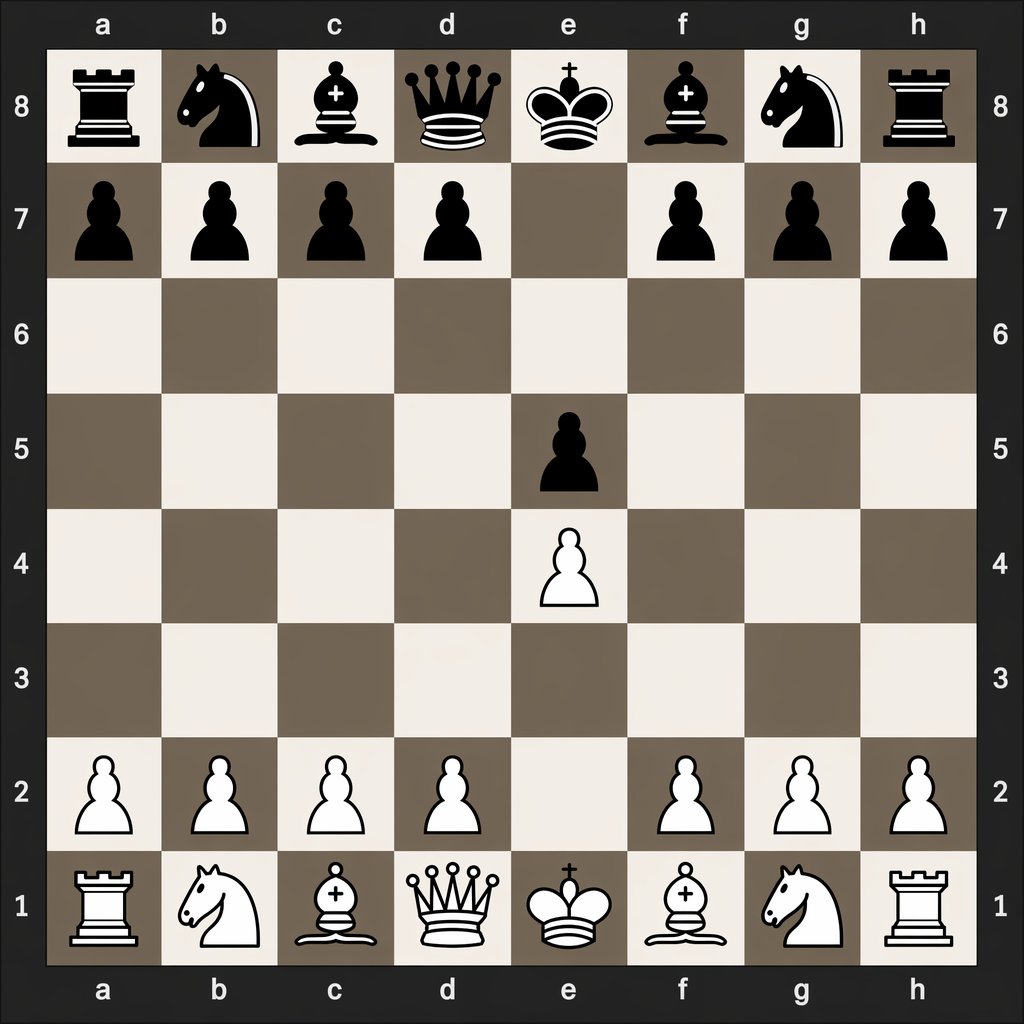
Digital Chessboard After 1.e4 e5
This prompt generates a clean digital chess diagram showing the exact board position after the opening moves 1.e4 e5, useful for chess tutorials and move-notation comparisons.
도식, 체크리스트, 로드맵, 학습용 긴 이미지에 적합합니다. 정보 구조를 먼저 정하고 이미지 안의 글자는 짧게 유지하세요.
추천 비율
16:9 또는 4:3
품질 전략
먼저 가볍게 생성하고 좋은 안을 고해상도로 다듬기
생성 흐름
먼저 텍스트로 핵심 이미지를 만들고, 한 번에 중요한 요소 하나만 수정하세요.
전체 Qwen Image 프롬프트
English prompt
A clean, flat digital top-down chessboard centered in the frame, shown as a square 8x8 board with algebraic coordinates visible on all four sides: letters a through h along the top and bottom, and numbers 8 through 1 along the left and right. Use a dark charcoal outer background and border, with alternating light beige and muted taupe-gray squares. Render simple high-contrast 2D chess icons, black pieces at the top and white pieces at the bottom, in a crisp vector-like style with no wood texture, no realistic lighting, and no extra interface elements. Show the exact position after the opening moves 1. e4 e5: black major pieces on a8 rook, b8 knight, c8 bishop, d8 queen, e8 king, f8 bishop, g8 knight, h8 rook; black pawns on a7, b7, c7, d7, f7, g7, h7, and e5; white pawns on a2, b2, c2, d2, f2, g2, h2, and e4; white major pieces on a1 rook, b1 knight, c1 bishop, d1 queen, e1 king, f1 bishop, g1 knight, h1 rook. Leave all other squares empty. Keep the composition perfectly symmetrical, instructional, and legible, like a digital chess diagram illustrating opening move order.
관련 Qwen Image 프롬프트
VR Headset Exploded View Poster
Generates a high-tech exploded view diagram of a VR headset with detailed component callouts and promotional text.
Illustrated City Food Map
Generates a hand-drawn, watercolor-style tourist map featuring numbered local food specialties, landmarks, and a legend.
3D Stone Staircase Evolution Infographic
Transforms a flat evolutionary timeline into a realistic 3D stone staircase infographic with detailed organism renders and structured side panels.
Momotaro Explainer Slide in Hybrid Style
A prompt that combines the simple, warm aesthetic of simple illustration style illustrations with the high-information density characteristic of Japanese government slides.
Faceless Cyberpunk Infiltrator
Generates a cinematic anime scene of an armed faceless woman infiltrating a high-security futuristic server room.
Pancake Angel Cafe Cover
Generates a dreamy watercolor anime cover of a winged cafe angel serving honey pancakes in a sunlit morning cafe.