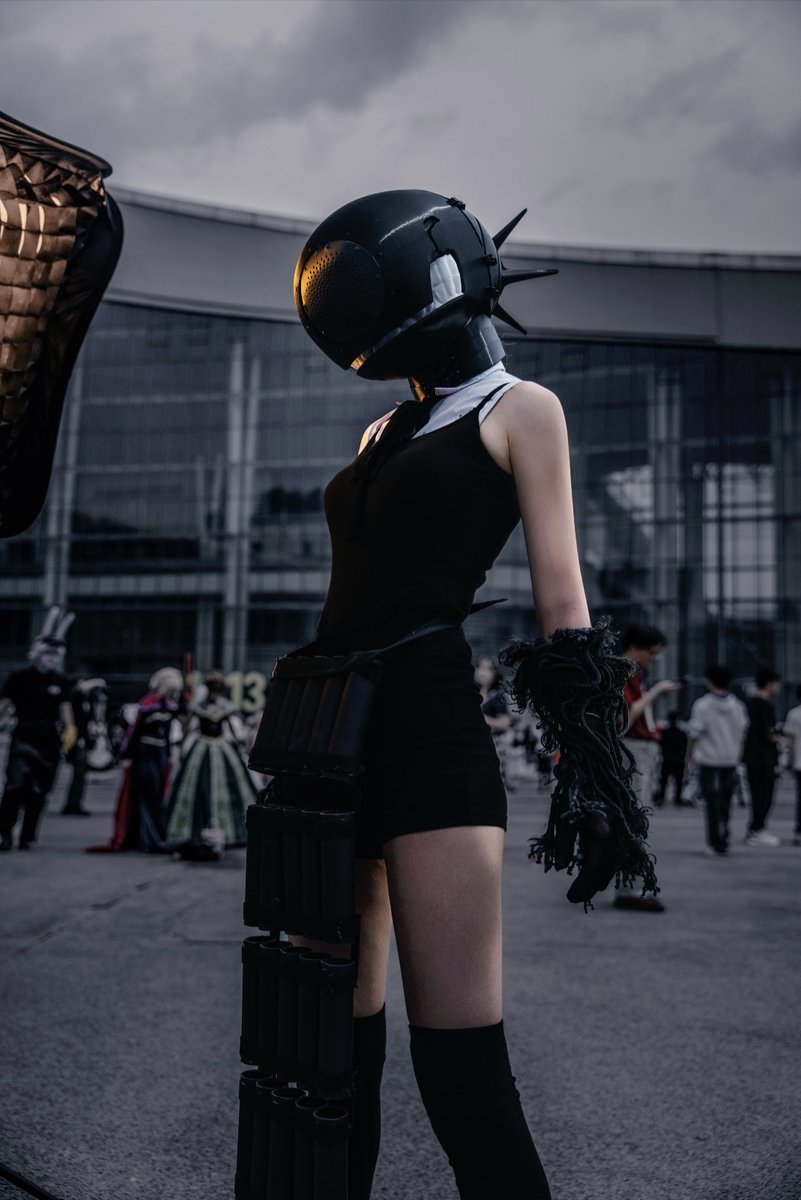
Cyberpunk Cinematic Photo Edit
Transforms a casual cosplay street photo into a dark Blade Runner-style cinematic poster while preserving the original subject and composition.
상품 사진, 패키지, 브랜드 광고 초안 제작에 적합합니다. 주체, 재질, 배경, 상업 보정 방향이 잡혀 있어 변수만 바꿔도 빠르게 시도할 수 있습니다.
추천 비율
4:5 또는 3:4
품질 전략
먼저 가볍게 생성하고 좋은 안을 고해상도로 다듬기
생성 흐름
참고 이미지나 기존 레이아웃에 맞춰야 할 때는 이미지-이미지를 사용하고, 그 외에는 텍스트 생성으로 방향을 잡으세요.
전체 Qwen Image 프롬프트
English prompt
Using the provided reference image, transform the ordinary phone snapshot into a cinematic cyberpunk movie-poster style edit. Keep the same subject, pose, outfit, helmet, foreground composition, and convention-center setting intact, but dramatically relight and color grade the scene with a dark, moody {argument name="cinematic style" default="Blade Runner-inspired cyberpunk"} atmosphere. Make the background darker and slightly defocused, deepen shadows, add high contrast, cool blue-gray tones, subtle vignette, and a soft filmic texture. Add a small warm amber reflection/glow on the helmet visor area as if from neon or sunset light, while preserving realistic skin texture and photographic detail. Do not change the character design or add text; make it look like a professionally retouched cinematic poster frame rather than a casual outdoor snapshot.관련 Qwen Image 프롬프트
VR Headset Exploded View Poster
Generates a high-tech exploded view diagram of a VR headset with detailed component callouts and promotional text.
E-commerce Live Stream UI Mockup
Generates a realistic social media live stream interface overlaying a portrait, featuring customizable chat messages, gift popups, and a product purchase card.
Pancake Angel Cafe Cover
Generates a dreamy watercolor anime cover of a winged cafe angel serving honey pancakes in a sunlit morning cafe.
Summer Grape Girl 3x3 Grid Portrait
A comprehensive prompt for creating a 3x3 photo grid of a summer-themed 'Grape Girl' with specific instructions for consistency and style.
Mystical Japanese AI Face Reading Report
Generates an ornate Japanese fortune-telling appraisal sheet with a celestial portrait, moonlit gold layout, and multiple readable report sections.
Miniature City Tiny Worlds
A macro photography prompt creating a realistic miniature city built within human hair, featuring high detail and natural skin textures.