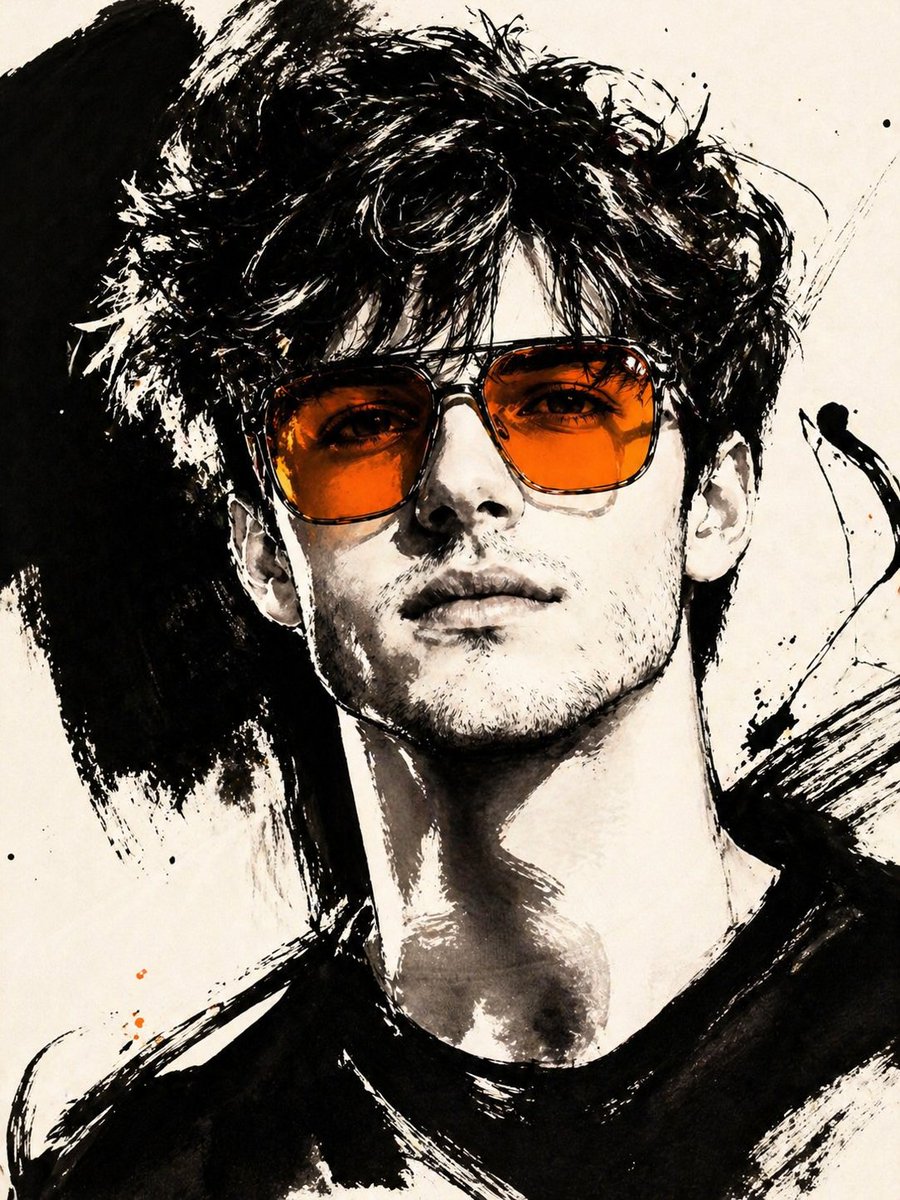
Gestural Ink Fashion Illustration
An advanced image-to-image prompt that transforms a photo into a bold, high-fashion black ink illustration with a specific color accent.
商品写真、パッケージ、ブランド広告の初稿作りに向いています。主体、素材、背景、商業レタッチの方向があるので、変数を差し替えるだけで試せます。
推奨比率
4:5 または 3:4
品質の進め方
まず軽く生成し、良い案を高精細で詰める
生成フロー
参考画像や既存レイアウトに合わせたい場合は画像から画像を使い、それ以外はテキスト生成で方向性を固めます。
Qwen Image 完全プロンプト
English prompt
ASPECT_RATIO: [{argument name="aspect ratio" default="3:4"}]

SOURCE_IMAGE: [{argument name="reference" default="uploaded photo"}]

ACCENT_COLOR: [{argument name="accent color" default="single vivid highlight color"}]

Use the uploaded photo as the base image and the only identity source. Keep the person exactly the same and clearly recognizable. Ignore the original framing and always recompose into a tight close-up or upper-body editorial crop, with the face dominating the frame. Transform the image into a gestural editorial ink fashion illustration. The style must be built from bold black brushwork, not delicate sketch lines.

Use:

very thick black brush strokes

broad dry-brush sweeps

large asymmetrical black ink masses

long loose calligraphic lines

broken contours

scratchy secondary linework

strong black-on-ivory contrast

smooth monochrome skin

The thick strokes must be clearly dominant. Do not render the portrait mainly with thin contour lines. Do not make it neat, polished, or softly illustrated. The image should feel painted with a loaded brush and finished with sharp expressive pen marks.

Keep the portrait stylish and high-fashion.

Use one hero accessory, preferably oversized translucent tinted sunglasses.

The accent color [ACCENT_COLOR] must live mainly inside that accessory, especially in the lenses, as a bold luminous tint. Only tiny supporting traces of the same color may appear elsewhere.関連するQwen Imageプロンプト
VR Headset Exploded View Poster
Generates a high-tech exploded view diagram of a VR headset with detailed component callouts and promotional text.
E-commerce Live Stream UI Mockup
Generates a realistic social media live stream interface overlaying a portrait, featuring customizable chat messages, gift popups, and a product purchase card.
Pancake Angel Cafe Cover
Generates a dreamy watercolor anime cover of a winged cafe angel serving honey pancakes in a sunlit morning cafe.
Summer Grape Girl 3x3 Grid Portrait
A comprehensive prompt for creating a 3x3 photo grid of a summer-themed 'Grape Girl' with specific instructions for consistency and style.
Mystical Japanese AI Face Reading Report
Generates an ornate Japanese fortune-telling appraisal sheet with a celestial portrait, moonlit gold layout, and multiple readable report sections.
Miniature City Tiny Worlds
A macro photography prompt creating a realistic miniature city built within human hair, featuring high detail and natural skin textures.